WELCOME


Follow BadAL_05 on Twitter

Tuesday, June 15, 2010

Facebook applications

The 101 best Facebook applications in the world today


1. Top Friends. Flatter your best mates by putting them in your Top Friends box (and insult all your others by leaving them out). Get it

2. Tetris Tournament. Play Tetris and reduce your friends' high scores to dust. Utterly, utterly addictive. Get it

3. Training. App that tracks your fitness regime, and compares it to your friends so you can offer mutual support (or laugh at the fat lazy donut-munchers in your group, obv). Get it

4. iLike. Barnstorming Music 2.0 application that lets you share music and show off your tune knowledge in the competition. Get it

5. Zombies. At first I was irritated by this, but so many people have signed up, it's actually fun infecting even more. Sorry. Get it

6. My Aquarium. Your own virtual fishtank, which can only be populated by friends sending you fish. I want an octopus... Get it

7. Beers. Buy virtual beers for friends. Not as much fun as buying real beers in the real world, but better for your waistline. Get it

8. SkypeMe. Make Skype calls from within Facebook, which makes you a bonafide Web 2.0 media node in your own right. Get it

9. What's Your Stripper Name? Note, if you're actually a stripper, this switches to 'What's Your Internetweb Geek Name?' Probably. Get it

10. Flixter Movies. Rate films, see what your friends are watching, and bitch about Optimus Prime not having the right shaped spoilers in the new Transformer film. Get it


facebook-fantasy-hiphop.jpg
11. Fantasy Hip-Hop (pictured). Live out your blingest dreams by running a virtual hip-hop label. Get it

12. Likeness. Find out which of your friends you most look like, or compare yourself to the most beautiful celebs around. Get it

13. Friends Organiser. Sort your friends into groups, like schoolfriends, work friends, sports friends, and people who you don't really like but they added you so you thought it would be rude to decline friends. Get it

14. Poker. Play Texas Hold'em with virtual money against other Facebook users. Just remember not to put 'I'm rubbish at bluffing' on your profile. Get it

15. Irrepressible.info. Facebook app version of the existing blog widget that puts snippets of censored stuff on your profile. No, not pr0n - unfairly censored stuff. Get it

16. Horoscopes. Show everyone that you're a superstitious idiot who won't leave the house if Mystic Meg spooks you. And she does spook a lot of people. Get it

17. Graffiti. Let your mates scribble all over your profile in a Banksy stylee. Except not as arty. Get it

18. X Me. Replaces the restrictive 'poke' feature with an option to let your friends do Whatever They Want to you. Which, be warned, is usually filthy. Get it

19. Moods. Splatter emoticons on your profile to show whether you're sad, grumpy or joyful. Either way, you'll look like a round yellow acieeed face. Get it

20. Causes. Sign up for a good cause, and tell everyone else about it. Without demanding money like a chugger, obviously. Get it
facebook-whereivebeen.gif
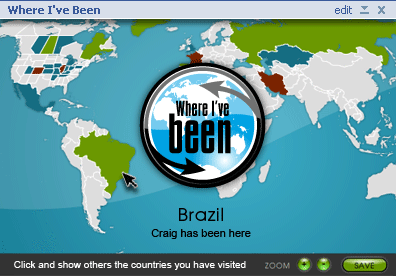
21. Where I've Been (pictured). Show off your global travelling (i.e. how huge your carbon footprint is) with an interactive world map showing where you've been. Get it

22. Red Bull Roshambull. Like Rock Paper Scissors, except branded by bug-eyed energy drink. Get it

23. Cars. Boast about your collection of motors. Even the old bangers. Get it

24. Trackfeeder Track Of The Day. Find out about a new choon every day, with links to buy it. Get it

25. Facebook Carpool. Find people to share a lift with (but check their profile first to make sure they're not serial killers). Get it

26. I Have Never. Facebook version of that drinking game where you have to say things you've never done, then watch shamefaced friends 'fess up to them. Get it

27. Dogbook. Because man's best friend deserves his own Facebook profile, even if the Interests are the same on every one (wagging, barking, bum-sniffing). Get it

28. Super Wall. Like a normal wall, but super. Get it

29. My Questions. Pose lots of questions to your friends, and see if they bother to answer. One step up from those email forwards you've received 16 times, anyway. Get it
facebook-hotornot.gif
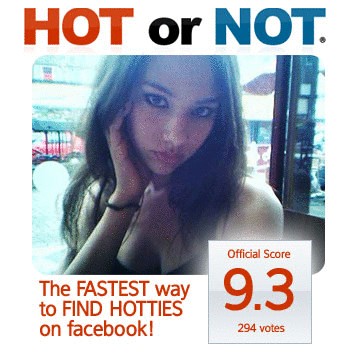
30. Hot Or Not (pictured). You know the score: upload your photo, find you're a 4.3, cry. Get it

31. Tag Cloud. Let your friends 'tag' you with whatever adjectives they want. Could lead to you getting rid of several friends, depending how rude they are. Get it

32. Fantasy Stock Exchange. You could make a million, if only you had the starting capital. Prove it here. Get it

33. Picnik. Edit your photos within Facebook. Ideal for cropping out former friends who you've just deleted from your profile. Get it

34. SuperPoke! Another way to spice up your poking with other actions. Get it

35. HotLists. Show your preferences (e.g. Heroes or 24, Canada v USA, crack v ketamine) via the medium of colourful logos. Get it

36. Football Fan. Put your team's badge on your profile. Sadly, there's no option to deface it with wildly sweary graffiti when they play like buffoons. Get it

37. Catbook. It's not fair to let the dogs have all the Facebook fun. Get it

38. Uber Music Player. Another music 2.0 application that's very customisable. Get it

39. Games. A decent collection of online games playable via Facebook. Be warned, this will waste hours of your day. Get it

40. Roomster. Find a new house-mate or lodger, while checking their profile first to ensure they don't list 'Playing Deathcore Grime at 3am' as one of their interests. Get it

41. Lego Man. Create your own blocky Lego avatar to represent you on Facebook. Get it

42. Awareness Ribbons. Show off a cause that's close to your heart (well, your lapels) with these virtual cause ribbons. Get it

43. SlideShare. Share your PowerPoint presentations with Facebook friends. Probably more useful for the ones you work with, if I'm honest. Get it

44. Rupture. Show off your World of Warcraft profile to all and sundry. So they can kill you next time you log on. Get it

45. Scrabulous. Play Scrabble within Facebook, with the advantage of having a separate Google window open to find words with Q, X and Z in. Get it

46. PopSugar 100. Show off your favourite celebs (Jordan, Timmy Mallett, That Woman Off Wife Swap) on your profile, and see who readers of celeb blog PopSugar think is cool. Clue: none of the three above. Get it
stylefiles.gif
47. StyleFiles (pictured). Create your own catwalk outfits using bits from Marc Jacobs, Chloe and lots more labels that fashionistas will know and love (i.e. I haven't a clue who they are). Get it

48. Audio. Quick'n'easy way to share music files (and thus Kill Music). Get it

49. Twitter. Post updates to Twitter, assuming you haven't dumped it in favour of Facebook status updates. Get it

50. Last.fm Music. Cool app based on everybody's favourite personalised streaming radio service. And everybody does have a favourite, since you ask. Get it

51. Booklist. Show off your literary library, complete with links to Amazon with your affiliate code to make a few quid. Get it

52. Fantasy Cricket. Much more fun now that England are good again. Get it

53. Console Identities. Display your Xbox Live Gamertag, PlayStation Network ID, or Wii Friend Code on your profile. Cool. Get it

54. The Compass. Nifty political tool made by the Washington Post that shows how much of a lentil-chewing hippie you are (or not). Get it

55. Simpsons Quotes. All your fave soundbites from the TV show, displayed on your profile for all to see. Get it

56. Jukebox. Neat Flash-based streaming music player that lets you subject friends to your collection of Kula Shaker B-sides when they come to your profile. Get it

57. (fluff)Friends. Put a cute pet on your profile. Be warned, this may have the same effect on potential love-partners as keeping seven teddybears on your bed. Get it

58. Weight Loss Tracker. Diet going well? Turn your slimming into a neat graph so that friends can encourage you. Not so much fun if you fall off the treadmillwagon and start stuffing yourself with Milky Bars, mind. Get it

59. YouTube Videos. Search the most popular vids on YouTube and watch them from within your profile. Chinese Backstreet Boys a-go-go! Get it

timberlake-facebook.jpg
60. Justin Timberlake. The Trousersnake gets his own official Facebook application, gathering all manner of videos and other content. D'you think he poked Britney? Get it

61. Herban Tones. Convert your MP3s into ringtones then pimp them to your friends via your profile. Doesn't work so well if you only offer Cheeky Girls tones, mind. Get it

62. Friend Statistics. Work out the average age and gender of your mates. Then weep when they're all 37-year-old males who still live with their mums. Get it

63. Stuff I Hate. Because social networking profiles should have a place for vengeful bitterness. Get it

64. Fortune Cookie. Like the ones you get after a Chinese meal. Except you don't get to stuff your face with egg fried rice first. Hang on, that's no fun... Get it

65. Daily Bible Verse. Because you don't only find wisdom inside Chinese snacks. Get it

66. PuzzleBee. Turn your photos into jigsaw puzzles and share them with friends. Ideally used with
drunken-night-out pics the morning after, just to mess with their hangovers even more. Get it

67. NES games. Play old-skool Nintendo classics in your browser. Just possibly not 100% legal, mind. Get it

68. Rockband. Create your own virtual rawk band, and fight your way to the top of the charts by signing up fans. I still don't understand where the virtual sex, drugs and rock'n'roll comes in though. Get it

69. Zipatrip. Part list of where you've been in the world, and part travelog with photos of all your holiday happenings (i.e. you, red as a lobster, licking vodka off an 18-30 rep's buttocks). Get it

70. Wikipedia. Search the planet's best Encyclopaedia 2.0 from within Facebook, while telling yourself that it's never inaccurate. Never. Get it

71. Pokedex. For Pokemon fans who've gotta catch 'em all (or at least look at them on Facebook). Get it

72. Friend Wheel. See the links between your friends in a colourful graph-wheel stylee. Get it

73. Web Sudoku. Pit your numerical wits against a series of Sudoku puzzles, then compare your times to friends. Get it

74. SlideShows. Turn your photos and vids into rolling slideshows that even your family will try not to watch. Get it

75. Honesty Box. Send anonymous messages to your friends telling them what you REALLY think. Isn't the point of friends that you can do this without needing anonymity? Get it
facebook-foodfight.gif
76. Food Fight! (pictured) Get daily lunch money to spend on food, then chuck it at your friends. In the real world, it's wasting the planet's natural resources, but on Facebook it's just wasting your work-time. Cool. Get it

77. Vampires. Like zombies, except even more bitey. Get it

78. Lending Club. Borrow money from a collective of Facebook users. Although the fact that someone spends their working day on Facebook may indicate that they soon might not have a salary to meet the repayments... Get it

79. Diner Dash. One of my fave ever web casual games goes Facebook, with you working as a waitress. Except more fun than that sounds, honest. Get it

80. Snooth. Get wine recommendations, helping you step up from your usual habit of buying whatever's got a couple of quid knocked off the price in Sainsburys. Or is that just me (hic)? Get it

81. Happiness Gauge. Show the world how grumpy you're feeling today. Get it

82. Tarot Cards. Your own personal set of Tarot cards, showing the influences that govern your entire life. Death, Death and Death isn't a great set, obviously. Get it

83. Russian Roulette. More death, in that you put a gun on your profile that friends can chance their arm (well, eye/brains) with. Get it

84. Pac-Man. Decidedly unofficial, but still retro-tastic gaming fun. Get it

85. Chess. Play chess against your Facebook friends, to show that you're intelligent enough to have progressed from draughts. Get it

86. I'm A Virgin??? Well, are you? This game lets you guess who's Done It and who hasn't. Just like your schooldays. Get it

87. myCrush. Tag friends who you'd secretly like a cheeky snog with, and then see if they tag you back. If they do, follow up with a good poke etc etc. Get it

88. My Flickr. Show your Flickr photos on your profile, sorted in a range of ways (Tags, Interesting, Photoset etc). Get it

89. YouTube Skins. Put a YouTube vid on your profile, then bling it up with some surrounding artwork (for example, a plasma screen). Very cool indeed. Get it

90. YouCams. Where Facebook and webcams collide. And not just for cybersex either. Honest. Get it

91. iPhone Owner. Perhaps the smuggest Facebook app in existence, this lets the world know that you've got Apple's new handset and they haven't. Unless they've added this app too, of course. Get it
facebook-art.gif
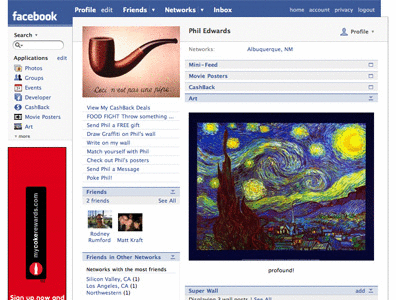
92. Art (pictured). Put posh artworks on your profile, to show how cultured you are. Or if you're Prince William, to show which ones you own. Get it

93. Big Brother News. Who's whining at who in the latest pointless argument inside the Big Brother house? Find out here. Get it

94. Chizzat. Live chat to your Facebook friends on your profile. For those who are just TOO DAMN IMPATIENT to wait for wall-to-wall. Get it

95. Your Hottest Friend. Vote on which of your friends you'd most like to spoil the friendship with a slightly-taboo shagfest. Get it

96. Project Playlist. Simple and cool app that integrates with your playlist on Music 2.0 site Project Playlist. Get it

97. Girl On Bus. Suitably silly animated game where you have to stop a cartoon girl called Maggie from toppling over on the bus. Get it

98. Friend Tracker. Find out who's been reading your profile with this app, which lets friends click on a link to let you know they stopped by. Get it

99. Magnetic Words. Stick fridge poetry all over your profile, and see how many rude phrases people come up with. Get it

100. Virtual iPhone. Much less expensive than a real one, with no battery worries. Get it

101. Chuck Norris. Just because. Get it

Monday, June 14, 2010

HOME PAGE

Bookmark this page by pressing ctrl+d

more stuff very soon


MENU


1. Top Twitter Applications & Tools TOP

2. TOP 101 Facebook applications
TOP

3. 60+ Tips To Increase Twitter Followers BEST


4. Add google ads on ur site

5. Taylor swift Best photos

6. Avril kool photos

7. Justin bieber's kool pics
 

8. kool emo pics 1

9. kool emo pics 2
 

10. Top 7 firefox add-ons
 

11. windows keyboard shortcuts for mozilla

12. 20 things you didnt know about windows

13. download videos from youtube
 

14. shutdown trick

15. Nokia secret codes


Your Ad Here


GIVE SUGGESTIONS IN COMMENTS 

THNX HV A GR8 DAY..!!!
 

Sunday, June 13, 2010

AVRIL PHOTOS


AVRIL PHOTOS

avril

avril,avril lavigne,avril pictures,avril lavigne photos

avril,avril lavigne,avril pictures,avril lavigne photos

The Girl Who Kicked the Hornet's Nest

avril,avril lavigne,avril pictures,avril lavigne photos

avril,avril lavigne,avril pictures,avril lavigne photos

Avril Lavigne

Live At The Troubadour [CD / DVD Combo]

Avril Lavigne

Avril Lavigne

Avril lavigne

avril lavigne

Avril lavigne


Avril

avril

avril

avril


avril

Avril lavigne

TAYLOR SWIFT PHOTOS

ADD AS BOOKMARK BY PRESSING CTRL+D
__________________________________________________________________________


____________________________________________________________________________
____________________________________________________________________________

Taylor Swift
____________________________________________________________________________

Photobucket
____________________________________________________________________________

TAYLOR SWIFT
____________________________________________________________________________

taylor swift
____________________________________________________________________________


____________________________________________________________________________

Taylor Swift
____________________________________________________________________________

Taylor Swift
____________________________________________________________________________

taylor
____________________________________________________________________________


Taylor Swift
____________________________________________________________________________

Taylor Swift
____________________________________________________________________________

Taylor Swift
____________________________________________________________________________


____________________________________________________________________________

Taylor Swift
____________________________________________________________________________

Taylor Swift
____________________________________________________________________________


____________________________________________________________________________

Taylor Swift
____________________________________________________________________________

Taylor Swift
____________________________________________________________________________

Taylor Swift
____________________________________________________________________________


____________________________________________________________________________

SUGGESTIONS INVITED IN COMMENTS...!! THNKS..!!!
____________________________________________________________________________

Wednesday, June 9, 2010

Twitter Followers

65 ways Tips, tricks and strategies to get more twitter followers:-


1. Treat your twitter profile as you would treat any other website. Send as much traffic as possible to your twitter profile.
2. Maintain good tweets in the first page of your profile. This seem to be a lot of work in the beginning. But seriously this will help you a lot in gaining followers. If people visiting your profile see only handful of links being tweeted, then they may not follow you, thinking that you are some sort of a automated script or some may think you as spammer. So see to that each time you decide to stop tweeting, make sure to tweet some useful things and minimize links. Because your recent tweets will be displayed in the first page of your profile.
3. Use a “tweet this” button below all your articles or below the articles which you think can go viral in twitter world.
4. Use different other services to know who is following you, and use the suggestion tool to get the suggested twitter users to follow. By this you can connect to relevant people around the world and they are most likely to follow you back, if they find you as relevant.
5. You can conduct twitter contests on your blog. This one strategy will drive a lot of followers in small amount of time. But it highly depends on what you are giving away in the contest. The higher the value of the product/service, higher the chances of getting more followers.
6. Get your twitter profile link featured on any famous website.
Ex:- If you are listed in the top 10 re-tweeters, then you can get still more followers. As people will think that you will re-tweet even their tweets!
7. If you have a website or a blog, display the follow me button at the top or any other highly visible regions.
If you get sudden hike in the traffic, you can’t expect that all those visitors will turn into your blogs subscribers or your loyal readers. But if they like the content of the blog they are most likely to follow you on twitter, as they think that you have the capacity to deliver the value.
8. Participate in twitter contests. By this you will be in a group of people who are into the contest, by this people participating may be willing to follow all other participants. So it is important that you leave a status message of the tweet or the twitter ID that you used to enter the contest, in the comment section, so that other participants can find you on twitter.
9. You can also use your twitter profile URL, while commenting on other blogs.
 10. Participate in twitter actively. Re-tweet others useful tweets and get their attention. If they also re-tweet one of your tweets sometime, you will end up getting noticed by their followers, some of them may even follow you.


11. Use twitter ID in your email signature, so that your business partners or others will get to know that you are also using twitter.
12. Print the twitter profile URL on your business card.
13. If you have any other product, then you can get your twitter link printed on it.
14. Use your twitter URL at the end of each SMS(Short Messaging Service) from your phone.
15. Basic thing, but still ignored one: Invite all your friends in your Gmail, Yahoo mail etc, and they are the most potential followers you can ever get.
16. Tweet valuable things. Don’t just try to get traffic to your blog by tweeting only about your articles. You can tweet about what you are presently doing etc, bit personal things, this is what twitter followers like to know. But try to provide some more valuable things. Like tweeting a breaking news, cricket scores, latest happenings at your place etc.
17. Participate in certain groups. Groups can be created using hashtags. And some times if the group message is a hot topic, then your tweets will be listed in “hot trending topics” in search or other famous twitter services.
Ex:- #followfriday
18. Use a custom background for your twitter profile. This will show that you are a professional and chances are there, a visitor to your profile may turn into your follower.
19. Use a good twitter ID. Many people suggest to use their real name and most of the others suggest to use the business name. In case of bloggers, people mostly use their blog name inorder to build their brand recognition. If the twitter ID is somethink special or attractive, many people will endup following you without any reason!
And many such attractive twitter ID’s are auctioned at different marketplaces. It shows the importance of having a good twitter ID. And make sure that your twitter ID is not too long, which will eventually add up to the 140 character of the person who is tweeting you or re-tweeting your tweets!
20. Try to involve in conversation with people having more number of followers. When the famous person reply to your tweet, his followers see your twitter ID, if they find the conversation interesting, they may start following you and the conversation.


21. Use your twitter URL in other social networking, social bookmarking and social media sites profile page and any other online places where you have an account and space to write something. This will help you get interesting and targeted people follow you.
22. Do not use annoying profile picture. Using your real photo or your blog logo/banner is recommended. Many people use the animated images, this is ok as long as its not annoying.
23. Link to your twitter profile often. You can also add a link to your profile at the end of each article on your blog.
24. If you have an online service, then use Twitter as another tool for tech/customer support. This will make the customers to follow you inevitably!
25. Include your twitter ID in forum signature.
26. You can ask other twitterers to recommend you to their followers and you can recommend them to your followers.
27. Some bloggers publish the twitter IDs of some people as: Recommended to follow list. You can participate in such events and if your ID has been listed, you can get a lot of followers.
28. Some bloggers also collect the twitter IDs of their readers and publish on their blog, for mass following. Participate in such events and you will keep getting a lot of followers from that single page over years.
29. Some people mass follow others as they are sure that most of them followback almost all their followers. Once they reach a certain target number, they will start un-following those mass followed people. Thus they will be able to have a high number of followers with a low number of following! This is not a recommended strategy, but its still popular and most effective.
30. Utilize the about me section of twitter properly. Put your blog URL or about your business along with your small description. If you make it interesting, there is a high possibility of getting more conversions(visitors into followers). Remember, your bio is shown in the Suggested Users section, that will highly decide your number!


31. Follow others. If you do not follow anyone and keep expecting lot of people to start following you, this will not work for everyone. If you are following atleast some people, then others will feel that you are open to conversation and that you like to listen to others.
32. Remember you only have 5 to 7 seconds to convert a visitor into follower, so make your profile as good as possible. Tweak all the aspects mentioned above(related to profile page), and you can see a drastic increase in your followers number.
33. Try to pay individual attention as for as possible. Don’t just think of yourself! You can talk to one person at a time. But never isolate yourself after having all these followers. People may find you inactive and may start removing you from their following list.
34. Be helpful to other twitter users, so that they can recommend you to others, without your request.
35. Block spammers and other useless automated boots by using the blocking feature in twitter. By this you will be able to give your attention to only genuine users and will not get distracted and your twitter experience will be good. By this you can give more to twitter and get more followers.
36. If you have some 500+ followers, you can use some service to display it on your blog, as a social proof. This will defiantly attract more people to follow you. Inturn increasing your followers number and inturn attracting even more people to follow you.
37. Ask questions: By asking questions, you can easily start the conversation with any stranger. Make sure that you ask an easy question :) So that many people answer you and you can start the conversation with them. Ask a simple question and also be prepared with some 1 or 2 follow up questions, so as to keep them engaged. By this strategy, you will increase the number of tweets coming your way and many of the followers of your followers will notice your conversations and may follow you. This also helps to grow the number of twitter public timeline(if you have not checked the “protect my updates” option in the settings) messages hence increasing the chances of appearing your tweets in search engines.
38. Use some twitter client or twitter apps or twitter messengers! Because people don’t like to wait for your reply. If you are still using the web page(with no AJAX implemented), then its time to switch to some twitter client and start replying. This saves a lot of time and followers! If you reply to your followers question after 24hrs or even 2 or 4 hrs late, then they probably don’t enjoy your conversation. And eventually may stop following you.
39. Tweeting at the time of US business hours i.e., from morning 9:00 to 5:00 evening would help to grow the twitter followers. I have not tested it extensively though, but still it sounds logical.
40. This tip for people who need to get followers at any cost:
You can use the PPC advertising to get the targeted twitter followers. This may seem very crazy in the beginning. But wait, this idea is better than paying twitter or any other service to feature your twitter ID.
This idea is for people who are running any business and want to get some target audience to follow them, so that they can serve those target audience.


41. If asking question is one strategy to build the followers, answering others question is another way to grab the attention. If you are following a famous person and if he is not following you, then its the right time to start replying/answering to all of his questions, as aptly as possible. By this way you can get his attention. And you can also get his followers attention, if you can make him to reply to you quite often.
42. Similar to the importance of tweeting time, the days that you spend on twitter also matters. On Saturdays and Sundays there will be less people using twitter. As people are free on these days, you may be thinking that they will spend a lot of time in these social sites, but it doesn’t work like that. People want to enjoy their life. They want to spend their valuable time with their family. So most of them or atleast those with success in their business will turn off their internet on these days.
So it will be of more beneficial, if we can follow all the strategies to get more followers, on days other than Saturday’s and Sunday’s.
43. Many of you may not think this as an ideal way to tweet, but this tip has proved to be most effective.
People follow a blog that they are interested in. The more focused a blog is upon a particular niche, more chances of it getting loyal reader base. Similarly, I have seen many people tweeting only about a particular topic, say politics, health and fitness, Google news, gadgets etc, get more number of target followers.
This also helps to get more re-tweets and drives more traffic to a blog post. For example, if you have a popular or even not so popular gadget blog, and if you tweet mostly about interesting and latest gadgets then gadget lovers will surly like, follow and recommend you to their followers.
44. If you are a blogger, then try to follow more people in your niche. Because these people are more likely to follow you back because of the niche that you are in. To help them get to know about your niche and interests, use the about me section effectively.
45. If you can use the twitter SMS feature or if you have internet in your mobile phone, then cover some live events.
Ex:- If you are attending a famous conference/sports…etc and if you can tweet about the happenings live, then more people tend to follow you and re-tweet your tweets. Use hashtags and people will notice you while they are searching for the news of that particular event that you are live tweeting.
46. Using twitter clients can make things easy and fast. But make sure that you do not tweet every second of your online time. This will surly annoy your followers and even twitter!
People will consider you as a spammer or an automated script, if you keep on tweeting, without listening and responding your followers tweets. Minimize your personal tweets. Try to involve in the conversation going on. Provide value.
47. If possible, teach your followers what re-tweeting is. By this, if your followers start re-tweeting your tweets, then your ID will again appear infront of your followers followers, and you will get more exposure and high chances of getting even more followers and even more re-tweets.
48. If you have a podcast service or if you shot a video and upload it to YouTube, then make sure to add your twitter ID in the video/podcast, at the end or in the beginning of the video/podcast. If people like the video/podcast, then they will surly like to get connected with you and start following you on twitter.
49. Follow the top twitter users and watch what they tweet and how they treat their followers. This may not be a huge tip, because those top twitter users are already popular in other fields, so they have lot of followers in twitter. While this is true in most of the cases, but there are some twitter users who have got a lot of followers just due to their tweets. Follow such people and you will learn a lot from them.
Being a celebrity doesn’t hurt.. but just being yourself brings followers that actually care about what you are saying and they are much more valuable.
50. Have your twitter ID on all the guest posts that you write.


51. An effective and worst way to increase your follower base (spammers way to get more followers) is to create an account with a celebrity name and profile pic, and try to pretend like the celebrity. In a very short time, you will get a lot of followers. After you are satisfied with the number of followers, change the profile pic, bio and the twitter ID and behave normally.
This is not a recommended thing to do. But I am writing this article to those people who want to know almost all the possible ways to increase their followers.
Personally I don’t find any useful thing (other than getting traffic) in getting more followers. And I am not interested in the number, but in the person that I follow, because we get, from whom we follow. Whom others follow is left to them.
52. Biggest tip to enjoy twitter is, to tweet just for the sake of tweet. Don’t think of the number of followers. Just try to get involved in the conversation. Have interest to know about other people around the world. Be curious, enthusiastic. And spend some time using twitter each day(if you have time), and eventually you will have a lot of followers who are also interested in you.
53. Following everyone who follows you is also a best way to get more followers. People will follow you atleast because you asure them that you also follow them back.
54. When you tweet something worth Re-tweeting, then use less than 140 Characters. Because, if your twitter ID has 5 characters, then a re-tweet will add a @ symbol and “RT:” thus making a total of 140+1+3+5=149 characters. So use 125 or 130 characters. Tweets which involve breaking news or some offers/discount coupons or anything that you think might go viral in twitter.
55. Tweeting link of some good pictures and breaking news get viral most of the times. You can also tweet about a new job or event.
56. Offer some free stuffs for following you. I have seen some people doing this, and not surprisingly, they have a lot of followers. But once you get people following you, its all about providing value and retaining them as your followers.
57. Write an ebook(of good quality) about Twitter and start distributing it for FREE. You can even upload it to torrent sites etc. If you can make that ebook go viral, then you will surly get a lot of followers, as people who download and read it must be interested in Twitter and if they find the ebook of any use, they will start following you.
58. In the “about me” section of Twitter, there is a place where you can display your website URL. There, you can use a good quality article(better, if you have a good article related to Twitter) link instead of just linking your blogs homepage. By this way, people who check your website before following you, may get interest in you, if they like that article.
59. Write some interesting articles about Twitter on your blog, so that, people searching for Twitter related things find it useful and start following you, expecting more such valuable contents and tweets from you.
60. You can also list your Twitter ID on some Twitter directory services. Make sure that you opt into proper category. Such services will allow you to choose some topics of your interest and place you in those categories and it will show your ID to those who have similar interests to that of yours. So you will get targeted followers.
61. You can also use some services that asure you to increase your twitter followers, by listing your Twitter profile link on their site. Also take care that you do not give your twitter ID along with your passwords to such services. Use only genuine services. Ask people who have already used the service.
62. Try to help people as much as possible. This way, people will surely point some one with similar problem to you and high chances that they will start following you.
63. Run a poll: This actually works if you have high number of followers. But you can make it work the other way too.
Make the poll interesting. And request people to re-tweet about the poll.
64. Use Cross promotion techniques: Explicitly(while chatting in any messengers, talking in phone etc – Out side twitter ) ask a Twitterer to mention about your ID to his followers and in return you do the same for them.
65. If you are crazy enough, you can put your twitter ID on your vehicle. This will work because, people like to get connected with others who are in the same locality. And you can tweet and start conversation about some local events and start sharing your knowledge. Keep your security aspects in mind. Some people may use twitter to get lot of your personal info and may use it to harm you.
[Joke: At the worst, get your twitter ID printed on your wedding card :) ]


JUSTIN BIEBER'S COOL PICS

JUSTIN BIEBER'S COOL PICS


JUSTIN BIEBER

____________________________________________________________________________

justin bieber

____________________________________________________________________________

Justin Bieber


____________________________________________________________________________

Photobucket

____________________________________________________________________________

Justin Bieber

____________________________________________________________________________


____________________________________________________________________________

Justin Bieber
____________________________________________________________________________

Justin Bieber
____________________________________________________________________________

Justin Bieber
____________________________________________________________________________


_____________________________________________________________________________

Wednesday, June 2, 2010

How to Add Google Advertisements (Google AdSense) to Your Blog or Website

What is Google AdSense?

Adsense is Google's advertising network that places those sponsored ads you see on many websites. Google automatically checks the web page it places the ads on and displays advertisements that are relevant to the page. This produces highly targeted adverts for the page, allowing, hopefully, higher returns for the advertiser, the advertising network (Google) and the publisher (you).
Before You Start

You must have an existing website before you apply to the Google AdSense program. If you don't already have one, read the The Beginner's A-Z Guide to Making Your Own Website to get started with your site first. The Google AdSense team reviews your site before accepting new applications, so you must first put up a working website and not just some "under construction" page. For example, if you are starting a personal blog, post a few articles about yourself or your experiences first.
Steps to Getting Google AdSense Ads on Your Site

1.
Apply to Google

When your site is fully functional, apply to Google AdSense. You can find AdSense listed among other advertisers in thefreecountry.com's Affiliate Programs: Free Sponsors and Advertisers page.

Google will then send you an email to verify your email address. Follow the instructions in that message (which is basically to click a link). Once you do that, your application will be sent to the Google AdSense team, one of whom will pop by your website to review it. Don't hold your breadth though, it may take a couple of days before they get around to your site. During this time, if your site is a blog, continue to post to it as per normal.
2.
Configure Your Ads

Once your account is approved, you can log into your account to get the necessary HTML code to paste into your blog or web page. The code can be found in the "AdSense Setup" tab. There are a number of options, but the code for the context-sensitive advertisements can be located under the "AdSense for Content" link. You'll be able to customize the appearance of the advertisements, choose between text advertisements, image ads or a mixture of both. Once you have finished configuring, you will be given some HTML code which you can cut and paste into your site.

There are other types of adverts beside the context-sensitve ads. "AdSense for Search" provides you with a Google search box that you can place on your site. When your visitors search through that box, and click an advertisement, it will be as though they had clicked an ad on your site. "Referrals" provide you with ads for specific products.
3.
Pasting the Google AdSense Code onto Your Blog or Web Page

Make sure that when you insert the code into your site, you insert it as HTML. Instructions for doing this in different WYSIWYG web editors can be found here:
* How to Insert Raw HTML Code in Dreamweaver
* How to Insert Raw HTML Code in Nvu
* How to Insert Raw HTML Code in KompoZer

If you run a blog, you may want to paste the code into your blog's template instead of individually stuffing it into every post you make. For blogs hosted on Blogger, one of the free blogging services listed on the Free Blog Hosts page, you can use my tutorial on How to Insert Google AdSense Advertisements in a Blogger Blog to help you insert your advert.
4.
Entering Your PIN into the Google Site

When your earnings reach a certain amount (it was US $10 the last time I checked) for the first time, Google will send you a card by snail mail (ordinary paper mail) with a series of characters printed on it. You will need to log into your AdSense account and enter this series of characters, the PIN, before they will send you any payments. It takes a while before this card is sent (a few weeks after you reach the threshold amount they define, depending on where you live), so just wait for it. You will only have to do this once in the life of the account.

Cautionary Notes: Things to Look Out For

1.
Never Click Your Own Google Ads

One of the things you must always remember is never click your own Google ads, even if it is to find out whether the site linked to is acceptable for your website's audience. Since (at this time) Google pays AdSense for Content ads according to the number of clicks, clicking your own ads is regarded as fraud, and will, at the very least, get you kicked out of the AdSense program.

Although Google doesn't say this, if you are showing off your blog or website to your family members, make sure they do not click any of your advertisements either. This is the case even if they are genuinely interested in the products advertised. They can always look for it by name in a search engine later if they wish, but for anyone living in your own household, any Google advert on your site is strictly off limits. The reason for this is that clicks from your household will look exactly like clicks from you.
2.
Don't Expect a Fortune Unless You Have Traffic

Those who have read my article on How to Increase Your Website Revenue from Affiliate Programs will probably know that if you are just starting out with your site, you probably won't be able to make a fortune from your ads unless you have enough people visiting your website. This only comes after you have done some serious website promotion or advertising.

Be realistic: remember that even if someone clicks your ads, you may just get a cent or two from that click, assuming that Google doesn't discount that click for some reason. In addition, only a very miniscule percentage of your visitors will actually click ads. Put those factors together and you can roughly guess how much you are going to make if you only have a few visitors per day.
3.
Don't Put Ads if You're Selling Something

If you can, try not to put Google AdSense ads or, in fact, any advertisements at all, if you are trying to sell a product or service on your website. There are a couple of reasons for this:
1.

You may be inadvertantly advertising for your competitors. You cannot predict what sort of ads are going to pop up in the AdSense code for your site. What you see when you load your site may not necessarily be what your visitors see. If a competitor places an ad that Google finds relevant for your page (and it surely will, if Google's context-sensitive engine works correctly), then their ad will appear on your page. You may thus lose sales to that competitor as a result of the ads.
2.

Ads distract your visitors from the real focus of your site. You want your users to read your sales copy, and not be clicking on links to go to some other site even if those links do not lead to your competitors.

Getting Started

If you already have a blog or a website, you can immediately apply to AdSense. If not, start your website now. These things take time to get into full swing, and you should not wait till you're desperately in need of money before starting.

Copyright © 2007-2008 by Christopher Heng. All rights reserved.
Get more free tips and articles like this, on web design, promotion, revenue and scripting, from http://www.thesitewizard.com/.

If you find this article useful, please consider making a donation